
Multi-factor authentication tools have become essential in our digital age, where online threats are ever-present. By adding an additional layer of security beyond just a password, these tools significantly enhance the protection of sensitive information. They come in various forms, including SMS codes, authentication apps, and biometric scans, making it crucial for individuals and businesses alike to understand their options and benefits.
The surge in cyberattacks has underscored the importance of implementing multi-factor authentication. Real-world examples highlight how organizations were able to thwart potential breaches through the strategic use of these tools, thus safeguarding their data and maintaining customer trust.
Importance of Multi-Factor Authentication Tools
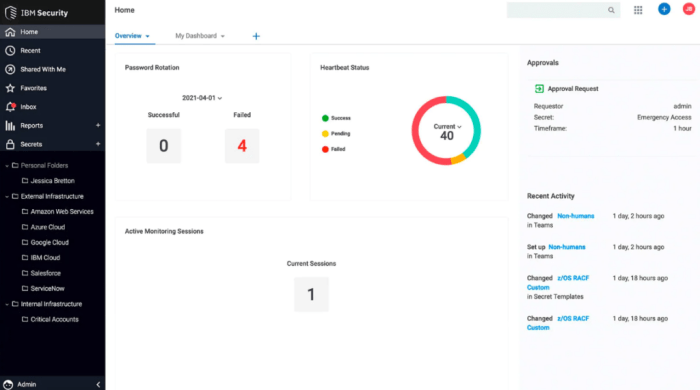
In today’s increasingly digital world, securing online accounts has never been more crucial. Multi-factor authentication (MFA) tools are at the forefront of this security battle, providing an extra layer of protection beyond traditional passwords. By requiring multiple forms of verification before granting access, these tools significantly reduce the risk of unauthorized access, protecting sensitive information from cybercriminals.MFA enhances online security by combining something the user knows (like a password) with something the user has (such as a mobile device) or something the user is (biometric data).
This multifaceted approach ensures that even if a password is compromised, unauthorized access is still thwarted. The following are some of the various types of MFA methods available:
Types of Multi-Factor Authentication Methods
Implementing different methods of MFA can cater to various security needs and user preferences. Here are some common types:
- SMS-Based Verification: A temporary code is sent via text message to the user’s registered phone number, which must be entered to gain access.
- Email Verification: Similar to SMS, a verification link or code is sent to the user’s email account, adding an extra step before login.
- Authenticator Apps: Applications like Google Authenticator or Authy generate time-based one-time passwords (TOTPs) that users must input during login, making it difficult for attackers to gain unauthorized access.
- Biometric Authentication: This includes fingerprint scanning, facial recognition, or voice recognition, leveraging unique biological traits to verify identity.
- Hardware Tokens: Devices such as YubiKeys provide a physical token that generates codes or connects via USB or NFC for secure login.
Real-world incidents underscore the effectiveness of MFA tools in preventing security breaches. For example, in 2019, a high-profile case involved a major email service provider, which experienced a data breach. However, due to the implementation of MFA, many users who had enabled this feature were protected from unauthorized access to their accounts, despite the compromise of their passwords. This showcases how proactive measures like MFA can serve as a formidable line of defense in the ever-evolving landscape of cybersecurity.
“Multi-Factor Authentication is not just a trend; it is an essential component of robust online security.”
Comparison of Popular Multi-Factor Authentication Tools
With the increasing need for robust security measures, multi-factor authentication (MFA) tools have become essential in safeguarding sensitive information. Various MFA tools are now available in the market, offering unique features and functionalities. This comparison aims to help users make informed decisions by evaluating some of the most popular MFA tools based on their features, advantages, and disadvantages.
Overview of Selected MFA Tools
The following MFA tools have been selected for comparison due to their widespread use and reputation in the cybersecurity community: Google Authenticator, Authy, Duo Security, and Microsoft Authenticator. Each tool has its unique offerings that cater to different user needs. Understanding their differences can significantly enhance the choice of the right authentication method for organizations or individuals.
Comparison Table of MFA Tools
The table below summarizes key features, advantages, and disadvantages of each MFA tool, providing a clear side-by-side comparison.
| Tool | Key Features | Advantages | Disadvantages |
|---|---|---|---|
| Google Authenticator | Time-based codes, QR code setup | Simple and intuitive interface, widely accepted | No backup recovery for lost devices |
| Authy | Multi-device synchronization, backups | Easy recovery process, user-friendly | Cloud storage raises privacy concerns |
| Duo Security | Single sign-on, device insights | Robust enterprise features, excellent support | Can be complex for personal use |
| Microsoft Authenticator | Passwordless sign-in, cloud backup | Seamless integration with Microsoft services | Limited to Microsoft ecosystem for optimum use |
Detailed Feature Analysis
Understanding the detailed features of each tool can provide better insights into their practical applications and limitations.
- Google Authenticator: This tool generates time-based one-time passwords (TOTPs) and uses QR codes for easy setup. It’s simple and effective, but lacks recovery options, which can be a major drawback if a user loses their device.
- Authy: Authy allows users to synchronize their accounts across multiple devices and offers a comprehensive backup solution. However, storing data in the cloud can lead to privacy issues for some users.
- Duo Security: More suited for businesses, Duo provides advanced features such as single sign-on, device health checks, and detailed user insights. Its complexity makes it less ideal for individual users seeking a straightforward solution.
- Microsoft Authenticator: This tool provides a passwordless sign-in experience and backs up account information to the cloud. While it integrates well with Microsoft services, optimization outside this ecosystem can be limited.
“The choice of a multi-factor authentication tool should be guided by the specific security needs and usability preferences of the user or organization.”
Integration of Multi-Factor Authentication with Other Security Measures
The integration of multi-factor authentication (MFA) with various security measures can significantly enhance an organization’s overall cybersecurity posture. By combining MFA with tools like spam blockers and other security protocols, businesses can create a more resilient defense against unauthorized access and cyber threats. This section explores the synergistic effects of integrating MFA with different security measures, illustrating the robust framework that can be established.
Integration with Spam Blockers and Site Promotion Strategies
Combining multi-factor authentication with spam blockers not only protects user accounts but also enhances the credibility of marketing efforts. Integrating MFA ensures that the individuals who gain access to promotional campaigns are verified, thereby reducing the risk of spam-related attacks. Here’s why this integration is essential:
Improved Account Security
By requiring multiple forms of verification, organizations can prevent unauthorized access to accounts that manage promotional activities.
Enhanced Reputation
Users are more likely to trust a brand that prioritizes security, which can lead to higher engagement rates in promotional strategies.
Reduction in Account Takeovers
Spam blockers can filter out malicious attempts to compromise accounts, while MFA adds an extra layer of security, making it harder for attackers to exploit vulnerabilities.When businesses merge these tools, they create a fortified environment that protects both their assets and client interactions.
Relationship with Internet Security Practices
The relationship between multi-factor authentication and broader internet security practices is pivotal. MFA complements existing security measures by addressing vulnerabilities that single-factor authentication fails to cover. Here are key aspects to consider:
Layered Security Approach
MFA is part of a multi-layered security strategy, which includes firewalls, intrusion detection systems, and regular security assessments. Each layer adds complexity to potential attacks.
User Education
Including MFA in security practices fosters a culture of cybersecurity awareness among users, encouraging them to adopt safer online behaviors.
Regulatory Compliance
Many compliance frameworks now mandate the use of MFA as a security measure, making it an essential practice for organizations aiming to meet legal requirements.Incorporating MFA into the security framework not only enhances protection but also aligns with best practices for internet security.
Framework Combining Multi-Factor Authentication and Social Media Security Protocols
Designing a comprehensive framework that combines multi-factor authentication with social media security protocols is crucial for safeguarding sensitive information shared across platforms. The following components should be included in such a framework:
1. User Verification Process
Implement MFA at the point of login to ensure that only authorized users can access social media accounts. This may involve sending a one-time code via SMS or using an authentication app.
2. Access Controls
Establish role-based access controls to limit what information can be accessed or shared on social media by different users within an organization.
3. Regular Security Audits
Conduct audits to evaluate the effectiveness of MFA and other security measures on social media platforms, adjusting protocols based on findings.
4. Incident Response Plan
Develop and maintain an incident response plan tailored to social media breaches, outlining steps to take in the event of unauthorized access.
“A proactive approach to integrating multi-factor authentication with social media security practices can significantly mitigate the risk of data breaches and enhance overall security posture.”
By adopting this framework, organizations not only reinforce their security measures but also bolster their brand’s integrity and trustworthiness in the digital space.
Concluding Remarks
In conclusion, the integration of multi-factor authentication tools is not just a trend but a necessity for robust online security. As cyber threats evolve, so must our defenses. By understanding the various tools available and their complementary role in a broader security strategy, users can effectively protect their digital assets and enjoy a safer online experience.
FAQ Resource
What is multi-factor authentication?
Multi-factor authentication (MFA) is a security process that requires users to provide two or more verification factors to gain access to a resource, making unauthorized access more difficult.
Why is multi-factor authentication important?
MFA adds an essential layer of security that helps protect against data breaches, ensuring that even if a password is compromised, unauthorized access is still prevented.
Is multi-factor authentication user-friendly?
Most modern MFA tools are designed to be user-friendly, often incorporating familiar methods like text messages or mobile apps for easy access.
Can multi-factor authentication be used on all platforms?
While many platforms support MFA, it’s important to check each service’s settings to enable it, as availability can vary.
What happens if I lose my authentication device?
If you lose your authentication device, most services have backup options, such as recovery codes or alternative verification methods, to help you regain access.


